A health score you can act on
Every vehicle gets a plain-language condition read across seven areas, so you can see what needs attention before it becomes a repair bill.
Vehicle maintenance, tracked properly
WheelNotes turns your service history into a running health check: what is due, what is overdue, what it has cost you, and how far you have actually driven.
Free to use. No ads.
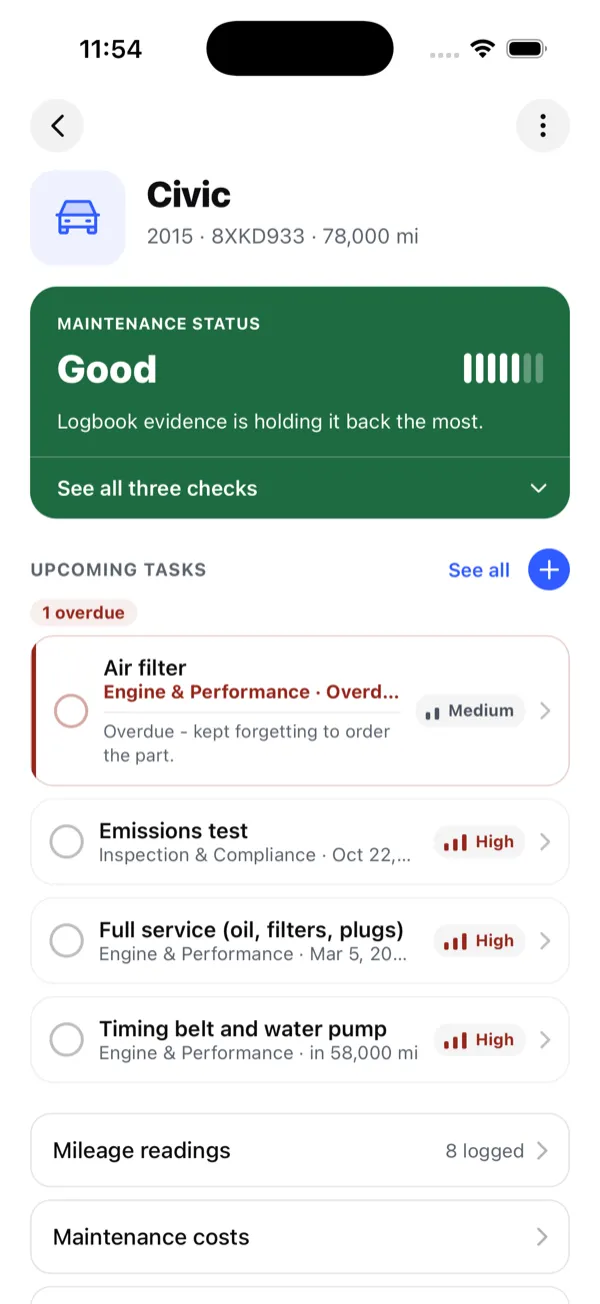
Every vehicle gets a plain-language condition read across seven areas, so you can see what needs attention before it becomes a repair bill.
Add a task from a preset or from scratch, due by date or by mileage. Overdue work is flagged, and the agenda shows the month ahead.
Log the odometer, attach a photo, and see a projection of where you will be in one, three or five years.
Record what each job cost in the currency you paid, and see the total broken down by category.
Registration, insurance, invoices and service records, attached to the vehicle they belong to.
Alerts for overdue tasks and for an odometer that has gone stale, plus an optional monthly summary by email.
Real screens, with a real service history behind them.
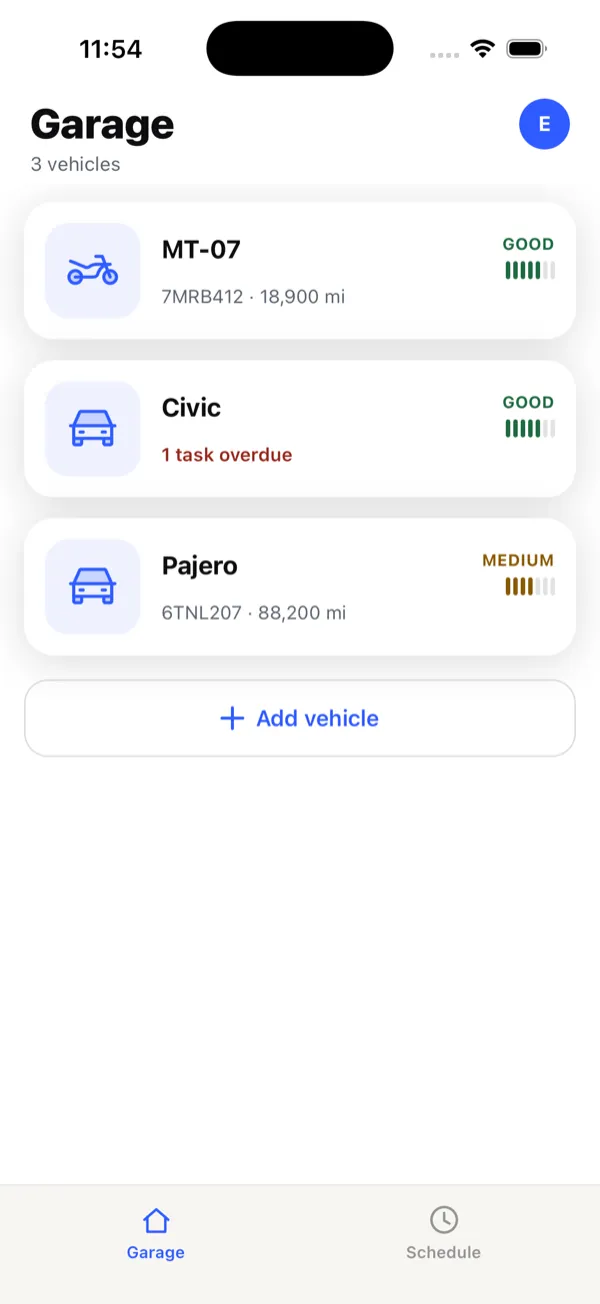
Your garage at a glance
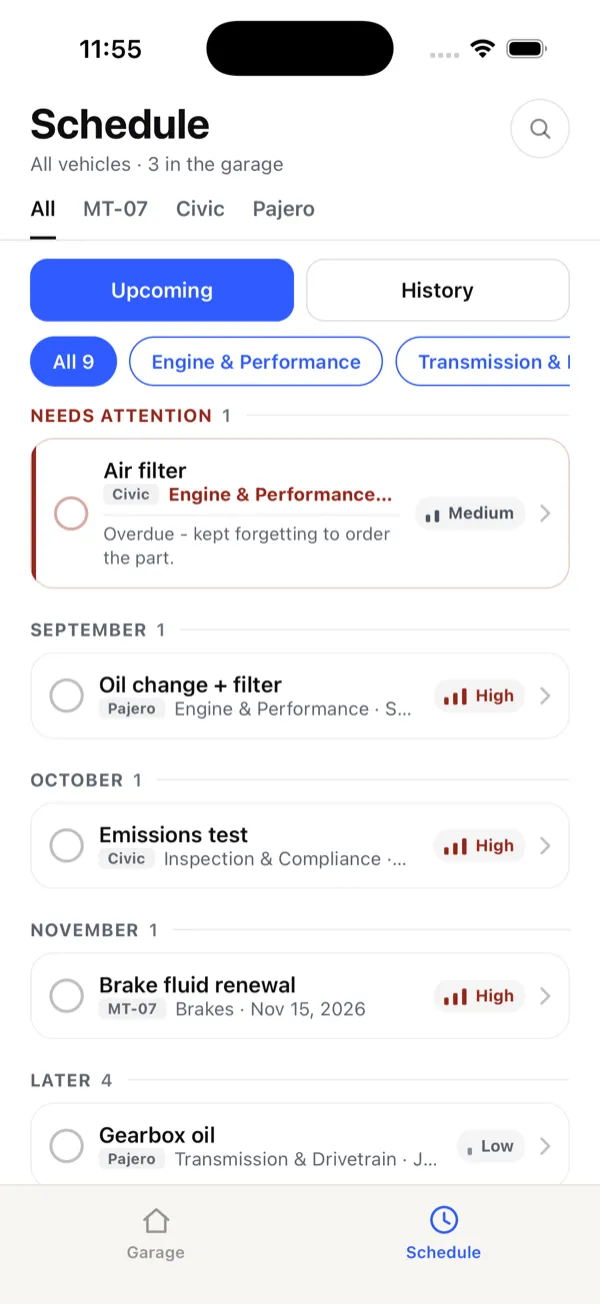
Everything that is due
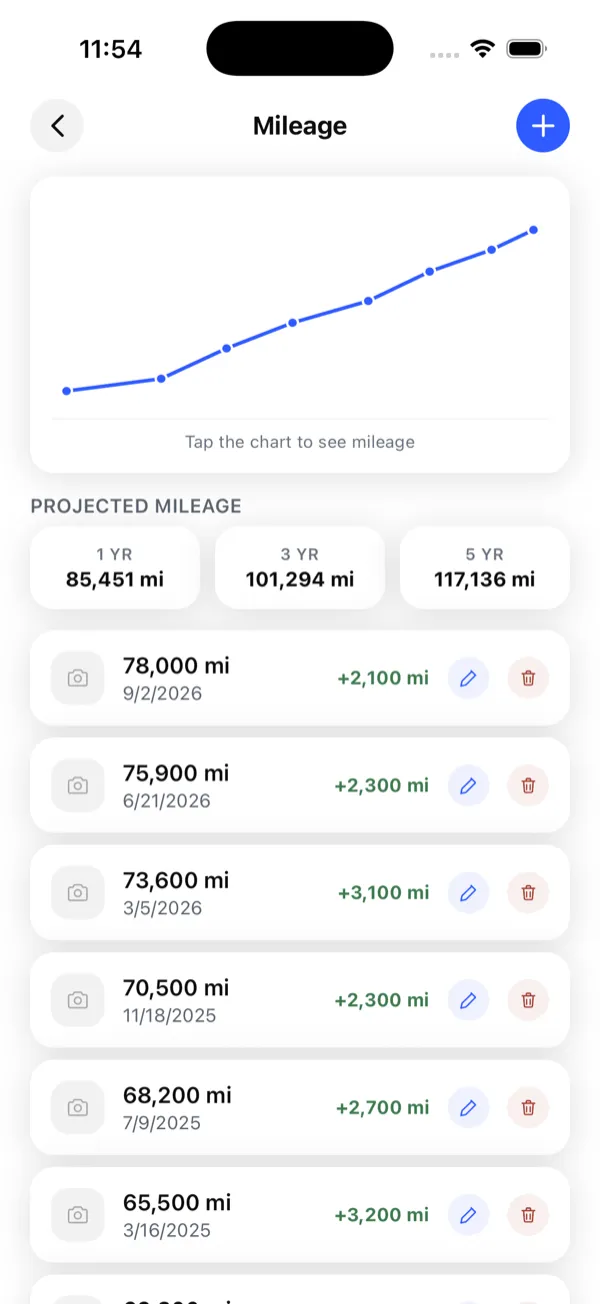
Mileage, and where it is heading
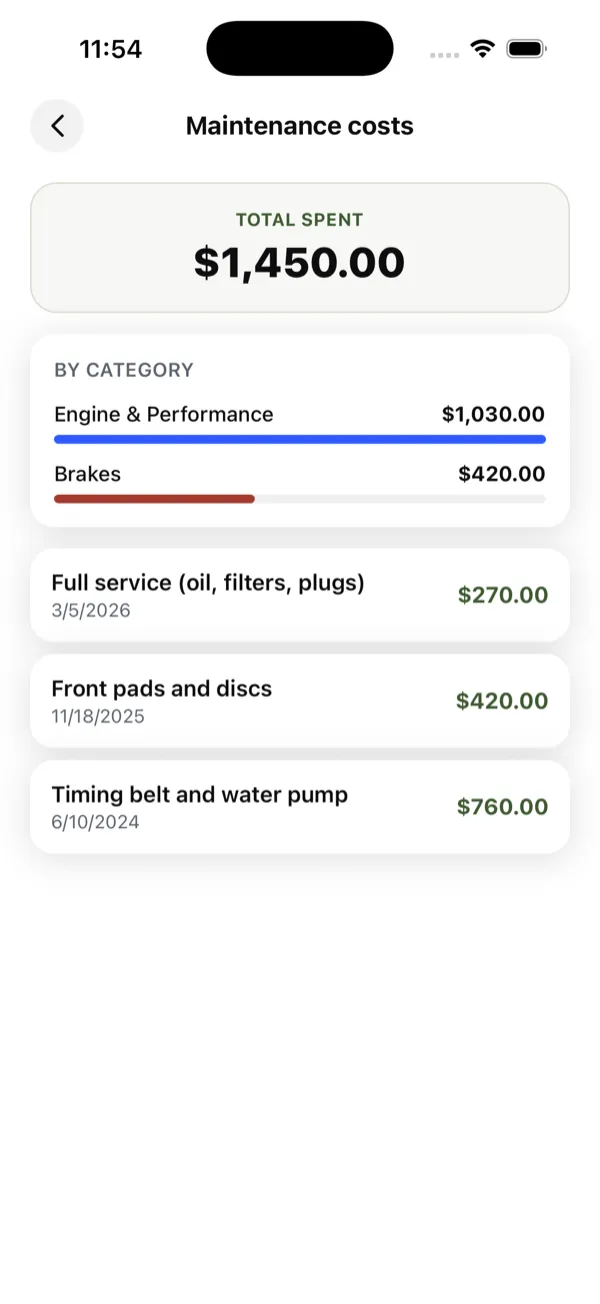
What it has cost you
Make, model, year and current odometer reading. That is enough to start.
Past services, the last oil change, new tyres. Pick from presets rather than typing it all out.
Update the odometer now and then. WheelNotes works out what is due and tells you before it is late.
WheelNotes is free to use. There are no ads and your data is not sold.
Yes. Distances can be shown in miles or kilometres and costs in USD or EUR, set per account. The app is available in English and French.
Yes — cars, vans and motorbikes, as many as you like, each with its own history and health score.
You can delete your account from inside the app, or from the account deletion page on this site. Deleting removes your vehicles, logs and documents.
It takes about two minutes to set up.